.png)
Last Updated: October 19, 2026
Voice activated home systems elderly users rely on operate on a simple principle: speak a command, and the device responds. Unlike traditional interfaces that require typing, scrolling, or precise hand movements, voice assistants let you control your home environment through natural conversation. This accessibility makes them particularly valuable for older adults managing arthritis, hand tremors, or other mobility limitations.
When you speak to a voice assistant, the device captures your words, processes them through cloud-based software, and translates your request into an action. The system learns your patterns over time, recognizing your voice and adjusting to your speech patterns. For seniors, this means fewer mistakes and faster responses as the technology adapts to how you naturally speak.
The real benefit isn't just convenience, it's independence. Many older adults find that voice assistants eliminate the frustration of struggling with small buttons or touchscreens. Instead of fumbling with a remote control, you simply say "turn on the lights" or "call my daughter." This direct, conversational approach removes a significant barrier that often discourages seniors from using smart home technology in the first place.
Pro Tip
Start with one simple command to build confidence. Don't overwhelm yourself by trying to learn everything at once. Master "turn on the lights" before moving to more complex tasks like checking the weather or setting reminders.
Hands-free control through voice commands transforms daily living for older adults. Instead of walking across a room to flip a light switch, adjust the thermostat, or open the blinds, you simply speak. This matters tremendously for seniors with limited mobility, arthritis that makes gripping difficult, or balance issues that make walking hazardous.
Smart lighting systems respond to voice commands instantly. You can brighten a dark hallway at night without fumbling for switches, reducing fall risk significantly. Temperature control works the same way, say "make it warmer" and your home adjusts automatically.
The convenience extends beyond comfort. For seniors living alone, hands-free control means you can manage your environment without asking for help. That independence, staying in control of your own space, carries psychological weight that matters as much as the physical convenience. You're not dependent on someone else to adjust the lights or turn on the television.
Many older adults report that this single feature, hands-free lighting and temperature control, makes them feel safer and more capable at home. When you can instantly illuminate dark spaces or adjust your environment to be more comfortable, you're reducing hazards and maintaining autonomy simultaneously.
Key Takeaway
Voice-activated lighting and temperature control eliminate the most frequent physical tasks that challenge seniors with arthritis or limited mobility. These are the "quick wins" that make the biggest difference in daily comfort.
For seniors managing arthritis, hand tremors, or other mobility limitations, voice-activated systems address a specific pain point: the physical difficulty of interacting with standard controls. Buttons require precise finger control. Touchscreens demand steady hands. Remote controls are small and easy to lose.
When hand tremors make it difficult to type or press small buttons, speaking becomes the most reliable input method. Your voice doesn't shake. It doesn't require fine motor control.
The impact extends to daily tasks many people take for granted. Adjusting the volume on the television, turning on a lamp, locking the front door, or calling for help all become possible without physical strain.
Setting up voice assistants specifically for this purpose requires minimal physical interaction during initial setup. Once configured, the system requires only voice input, no ongoing physical demands. This makes voice-activated systems more sustainable for seniors whose conditions may worsen over time.
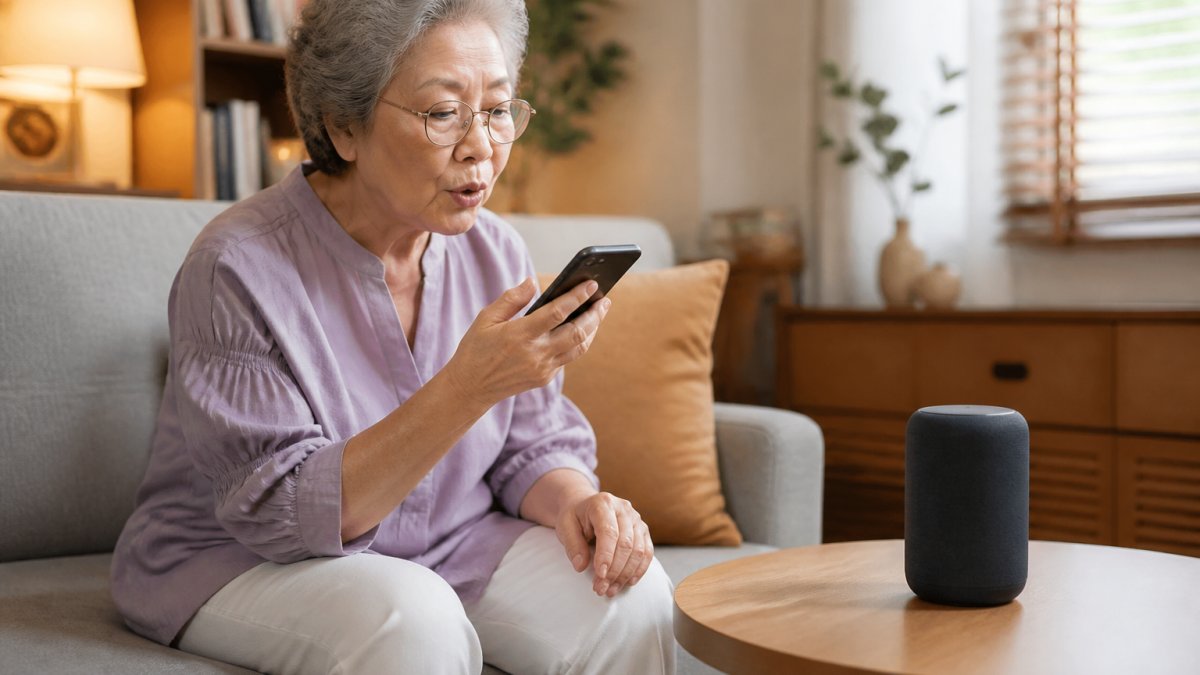
Safety features built into voice-activated smart home systems address real concerns for seniors living independently. Motion-activated lighting automatically illuminates pathways when you move through your home at night, reducing fall risk significantly.
Smart door locks add security without requiring you to remember keys or manage complex lock mechanisms. You can lock or unlock doors by voice command, or grant temporary access to caregivers or family members remotely.
Temperature monitoring prevents dangerous conditions. If your home becomes too cold in winter or too hot in summer, some systems can alert you or adjust automatically. For older adults on fixed incomes who might otherwise tolerate uncomfortable temperatures to save money, this passive safety feature prevents health risks.
Emergency features within voice-activated systems let you request help instantly. If you fall or experience chest pain, you can call for emergency services without reaching for a phone. Some systems integrate with personal safety networks, alerting family members or caregivers when you need assistance.
Navigation through your home becomes safer when you can control lighting, temperature, and access without physical interaction. You move through familiar spaces with confidence, knowing that your environment responds to your needs automatically.
One of the most valuable applications of voice activated home systems elderly adults use is managing medication schedules and appointments. Many seniors take multiple medications at different times throughout the day.
You can set voice reminders: "Take your blood pressure medication at 8 a.m." or "Call your doctor's office on Tuesday at 9 a.m." The system reminds you at the scheduled time, and you can confirm completion by voice.
Daily routine reminders help seniors maintain structure and independence. Morning reminders can prompt you to take vitamins, eat breakfast, or check the weather before leaving home. Evening reminders can encourage you to take evening medications, lock the doors, or prepare for bed.
Appointment management becomes simpler when your voice assistant keeps track of dates and times. This reduces the likelihood of missed appointments, a common problem for seniors managing multiple providers. (Source: research on smart home technology and aging in place)
The consistency of voice reminders matters. Unlike written notes you might lose or forget to check, voice reminders reach you actively. They interrupt your day at the right moment and demand a response, making them far more effective than passive reminders.
Watch Out
Voice reminders work best when combined with a reliable system for confirming medication intake. Some seniors may forget they already took their medication and take a second dose. Consider using a pill organizer alongside voice reminders for additional safety.
Being able to call family members or emergency services without touching a phone changes how seniors experience living alone. If you're in the kitchen and want to call your daughter, you simply say her name.
Voice-activated calling is particularly valuable for seniors with arthritis or hand tremors who struggle with traditional phones. Finding a phone, unlocking it, navigating to contacts, and pressing small call buttons becomes unnecessary. You speak, and the call connects.
Emergency features within voice-activated systems provide an additional safety layer. Many systems can be configured to contact emergency services with a single voice command. Some integrate with medical alert services, notifying caregivers or family members when you request help.
The psychological benefit of this capability shouldn't be underestimated. Knowing you can reach help instantly reduces anxiety about living independently. Seniors report feeling more confident about spending time alone when they know emergency assistance is always one voice command away.
Family members also benefit from this feature. Adult children worried about aging parents living alone gain peace of mind knowing their parents can contact them instantly if needed. This creates a safety net that works both ways, seniors maintain independence while families maintain awareness.
Getting started with voice-activated systems requires patience and clear instruction. The initial setup should focus on essential features only. Don't try to teach someone how to control their entire smart home on day one.
The setup process itself should be handled by someone patient and technically comfortable. Many seniors feel intimidated by technology, and a frustrating setup experience can discourage them from using the system at all.
Begin with the most useful command first. For most seniors, controlling lights is the logical starting point. It's immediately useful, easy to understand, and builds confidence.
Create a simple written guide with the most common commands. Keep it on a single page, printed in large text, and place it near the device.
Practice together regularly. Spend 10-15 minutes multiple times per week using the system together. This repetition builds muscle memory and confidence.
Ongoing support matters tremendously. Check in regularly to see if they're using the system and if they've encountered problems.
Consider having a family member or caregiver set up a support routine. Perhaps a weekly call where you help troubleshoot any issues or teach a new feature.
Voice-activated systems collect and process personal information, and many seniors have legitimate concerns about privacy and data security.
Most voice-activated devices store recordings of your commands in cloud servers. Manufacturers use these recordings to improve their systems, but they also create a record of your activity. For seniors concerned about privacy, this matters.
The good news is that privacy controls exist. You can delete your voice history regularly, disable recording features when you're not using the device, or choose systems that process commands locally rather than sending everything to cloud servers.
Security concerns are equally valid. Voice assistants can be hacked, and criminals have exploited vulnerabilities to access people's homes or financial information.
Reliability presents a different concern. Voice assistants don't work perfectly. They misunderstand commands, fail to connect to devices, or become unresponsive. For seniors relying on these systems for safety, occasional failures can be frustrating or even dangerous.
The most honest assessment is this: voice-activated systems for elderly users are valuable tools that significantly improve daily life and safety. They're not perfect, and they require some initial setup and ongoing support.
Voice-activated home systems genuinely improve how older adults live independently at home. The combination of hands-free control, safety features, medication reminders, and emergency assistance creates a comprehensive support system that reduces physical barriers and increases confidence. SafeWell55 integrates these capabilities into a comprehensive personal safety and wellness program designed specifically for adults over 55, combining emergency alerts, daily check-ins, and virtual care access into one platform.
Voice-activated systems allow seniors to control lights, temperature, locks, and appliances without physical effort, reducing the need for assistance with daily tasks. They enable hands-free calling to family and emergency services, medication reminders to support medication management, and voice-based access to information and entertainment. For those with limited mobility, arthritis, or hand tremors, voice commands eliminate the physical barriers that make traditional controls difficult. This combination of features helps older adults maintain independence while staying connected and safe at home.
Voice assistants allow seniors to control lighting, adjust thermostats, lock and unlock doors, play music and entertainment, set reminders and alarms, make phone calls, check weather and news, and control other smart home devices. Many systems integrate with medical alert features, allowing seniors to request help with a voice command. Some platforms also offer virtual companion features, providing an additional layer of support without requiring manual action from the senior.
Yes, voice assistants are designed to be accessible for seniors with limited mobility, arthritis, or hand tremors. Unlike touchscreens or physical buttons, voice commands require only speech, which remains possible even with severe hand limitations. However, setup and initial configuration may require support from family or a caregiver. Seniors with hearing loss or speech difficulties may find voice systems less effective, and those with cognitive changes may need additional training and reminders on how to use the features. A caregiver or family member can help customize settings to match the senior's specific needs.
Consider the senior's technical comfort level, hearing and speech ability, cognitive function, and specific safety or mobility needs. Evaluate which devices address the senior's real challenges (e.g., fall risk, medication management, isolation). Review privacy and security settings, including who can access data and how information is stored. Plan for ongoing support from a family member or caregiver, as seniors often need help with troubleshooting and updates. Start with a few essential devices rather than overwhelming the senior with too many options, and test the system together before relying on it for critical functions like emergency response.