.png)

Last Updated: October 17, 2026
Assisted living technology is any tool or system that helps older adults manage their health, stay safe, and live independently at home.
The goal is simple: keep you safe without losing your freedom. Instead of juggling multiple apps, devices, and services, a comprehensive platform like SafeWell55 bundles everything together.
Many adults over 55 face a real problem. Health needs change. Medications multiply. Remembering when to take what becomes harder. Falls happen. Scams target you online.
Before you choose any tool, understand what you actually need. Not every person needs the same features.
Ask yourself these questions:
Your answers determine which features matter most. Someone managing five medications needs a strong reminder system. Someone living alone might prioritize emergency alerts. Someone worried about scams needs digital security tools.
Write down your top three concerns. This list guides your next decisions.
The best ones do more than just buzz at a set time. They show a picture of the pill. They explain why you're taking it.
When comparing medication reminder apps for seniors, look for these features:
SafeWell55 includes medication reminders as part of its comprehensive platform.
The key difference between a good reminder app and a mediocre one is what happens after the alert. Does it actually help you remember, or just make noise?
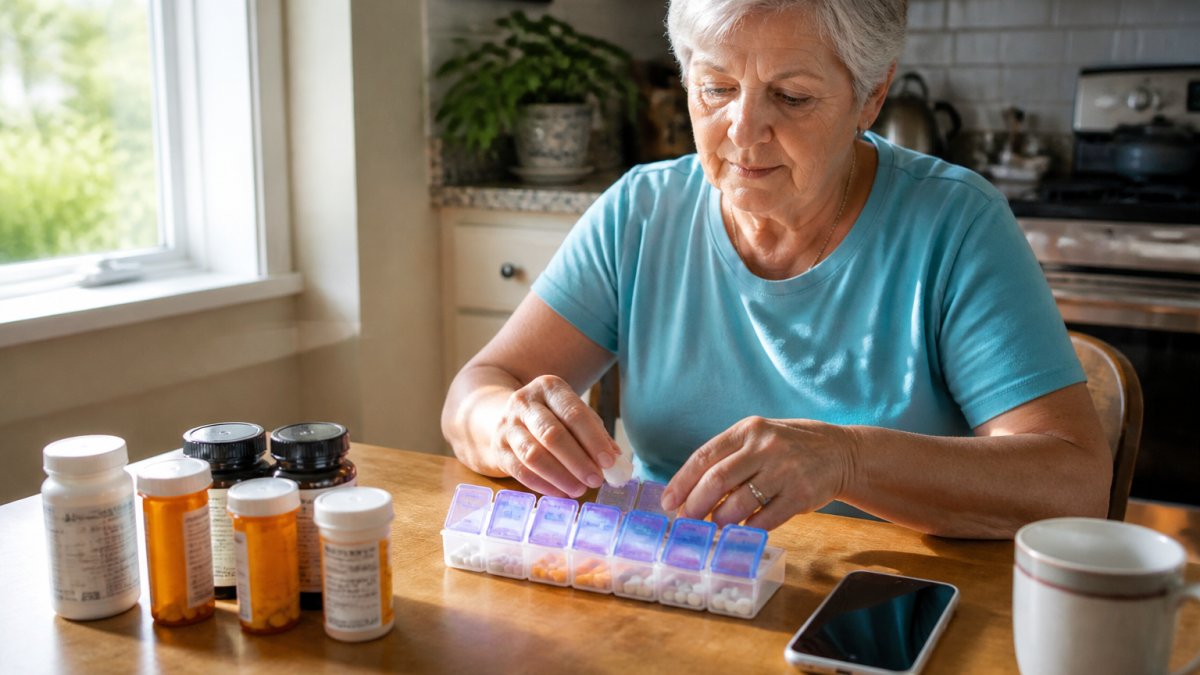
Setting up a pill reminder for seniors means combining three things: a physical system, a digital system, and a tracking method.
Start with the physical setup:
Now add the digital layer:
Finally, create a backup tracking method:
The trick is habit stacking. Attach your medication routine to something you already do every day.
Common anchors:
Pick one anchor and stick with it. Your brain will start to expect it.
Here's a simple routine:
Make it a ritual. The same time, the same place, the same steps. Rituals stick.
If you live with a partner, they can help.
If you live alone, SafeWell55 can send you daily check-ins.
:::pro tip If you're prone to forgetting, set a phone alarm for 30 seconds before your medication reminder. The alarm gets your attention. The app reminder tells you what to take. Two signals are better than one, especially if you have hearing loss or are focused on something else.
The core feature is an emergency button, usually in an app on your phone or on a wearable device.
What happens next matters:
SafeWell55 includes a virtual companion feature. During walks, errands, or any outing, you can activate this feature.
This is different from older medical alert systems.
| Feature | What It Does | Why It Matters |
|---|---|---|
| Emergency button | One tap to call for help | Fast response in a crisis |
| Location sharing | Tells responders where you are | Faster arrival of emergency services |
| Family notification | Alerts loved ones immediately | They can help or provide context |
| Operator response | Real person talks to you first | Better assessment of the actual problem |
| Virtual companion | Someone watching during outings | Deters falls and gives you confidence |
The best emergency systems don't just react, they prevent. Daily check-ins catch problems early. Medication reminders prevent drug interactions.
Missing a dose happens. You're busy. You forget. You're out of the house. Life gets in the way.
Here's what to do:
If you realize you missed it within a few hours:
If it's almost time for the next dose:
If you're unsure whether you took it:
If you miss doses regularly:
Keep a record of missed doses. Show it to your doctor at your next visit. Patterns matter. If you're missing doses at a certain time of day, that time is the problem, not you.
Not every app works for every person.
For vision loss:
For hearing loss:
For arthritis or dexterity problems:
For memory problems:
For technology anxiety:
Privacy matters. Before you choose a platform, ask:
SafeWell55 includes digital security tools to protect you from scams and fraud. Your health data is encrypted.
Read the privacy policy. If it's too complicated, ask customer service to explain it in plain language.
Choosing assisted living technology is about taking control of your health and safety. The right system removes friction from your day.
Start with one clear need, medication reminders, emergency alerts, or prescription savings. SafeWell55 combines all these tools in one app designed for people over 55. Research from the National Council on Aging shows that integrated health platforms reduce medication errors and improve adherence.
The best pill reminder combines multiple methods: a physical pill organizer sorted by day and time, a smartphone medication reminder app that sends alerts, and ideally a caregiver or family member who checks in. Many seniors benefit from medication reminder apps for seniors that sync with their phone calendar and send notifications. The most effective approach pairs digital reminders with a visual system, a pillbox keeps medications organized and visible, while an app ensures you don't miss a dose even if you're away from home.
Assisted living technology streamlines medication management for seniors by centralizing reminders, tracking, and communication. Apps send timed alerts for each dose, maintain a complete dose history, and flag missed or late doses. Many platforms let you store a master medication list accessible to your doctor or pharmacist. Family members can receive notifications if a dose is missed, enabling quick follow-up. Some systems integrate prescription refill tracking, so you're never caught without medication. This reduces confusion, prevents accidental double-doses, and keeps your care team informed.
Yes, but you need to choose systems with accessibility features. Many medication reminder apps for seniors offer visual alerts (bright flashing notifications), vibration alerts for those with hearing loss, and large-text interfaces. Some apps work with smartwatches or wearable devices that vibrate or light up. If you have vision limitations, voice-guided setup and text-to-speech features help. When selecting senior safety technology, ask whether the platform supports accessibility settings before signing up. Pairing digital reminders with a caregiver who calls or texts adds another safety layer.
If you miss a dose, take it as soon as you remember, unless it's almost time for your next dose, in which case skip the missed dose and resume your regular schedule. Never double-dose to make up for a missed one. If you accidentally take two doses, contact your pharmacist or doctor immediately, especially if the medication affects blood pressure, blood sugar, or heart rate. Many medication reminder apps for seniors log missed doses automatically, which helps you and your care team spot patterns. Always keep your pharmacist's number handy and discuss what to do for your specific medications before a mistake happens.